

Kitaab for families

One family. Separate learning journeys.

Use Kitaab for your own learning, create profiles for your children and manage the things children should not have to manage themselves.
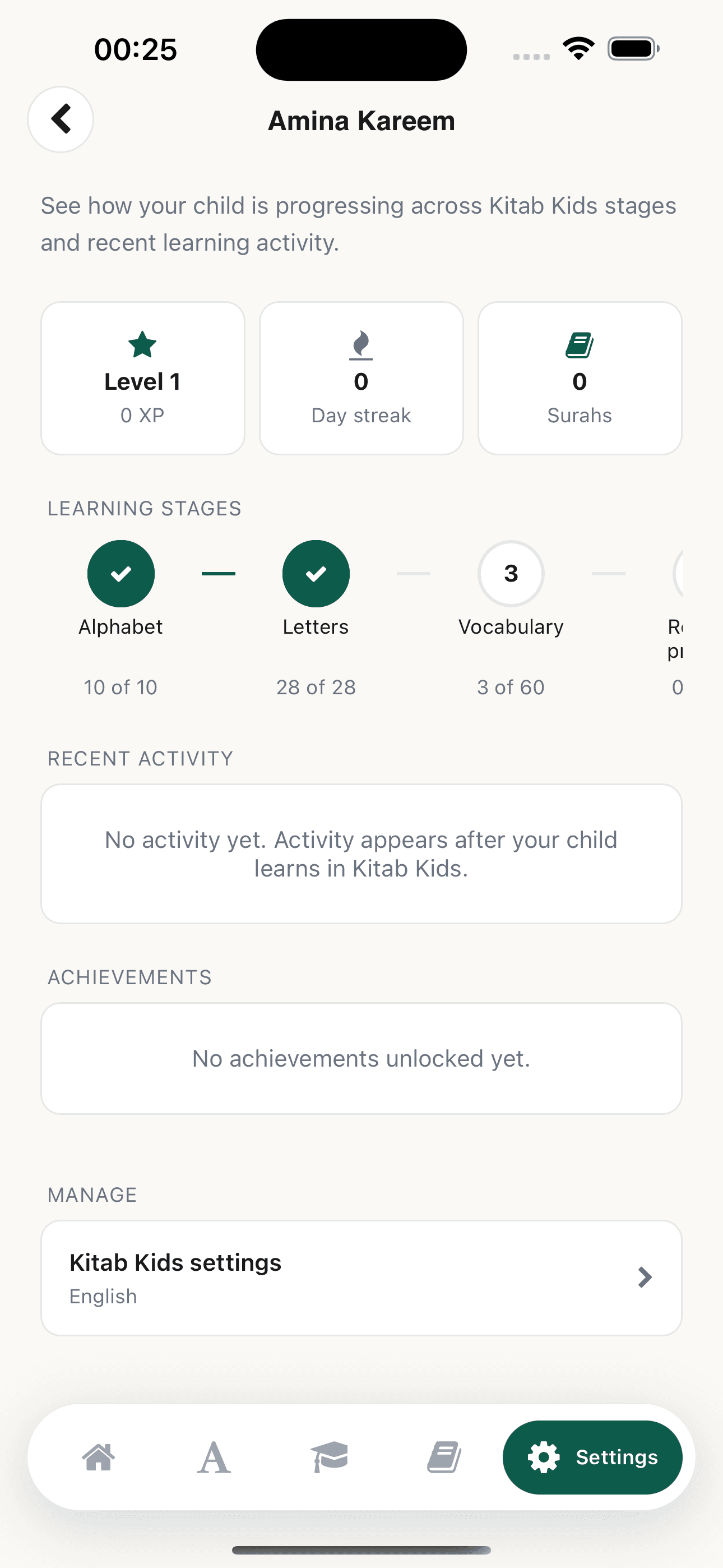
A parent viewing their child's real learning progress in Kitaab
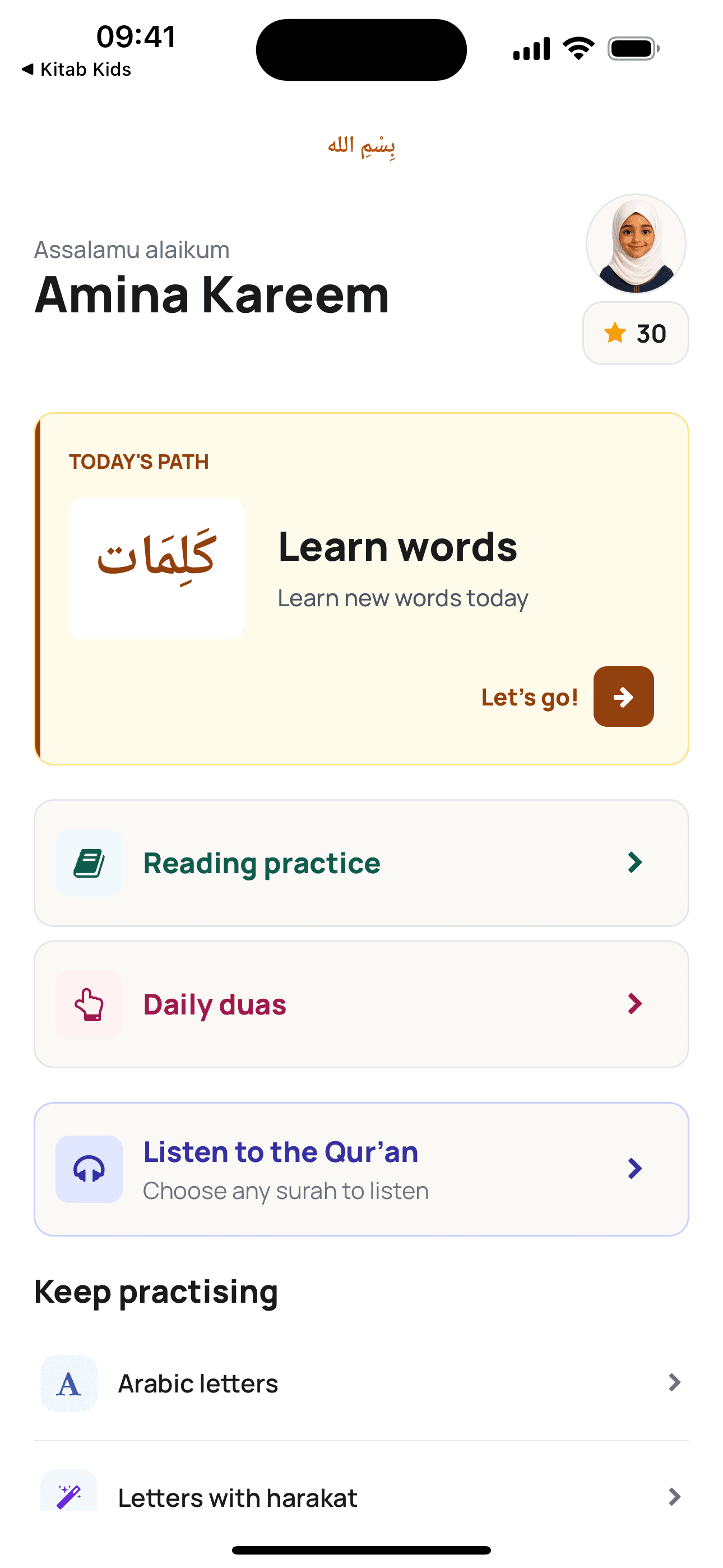
Kitaab Kids on iPhone showing Amina Kareem's next lesson, Reading Practice, Daily Duas and Qur'an Listening Mode
Child profiles

One profile for every learner.

Progress, language, reciter, achievements and learning history stay with the child they belong to.

A parent viewing their child's real learning progress in Kitaab
Parent dashboard

Manage Kitaab Kids from your own app.

Open a child's dashboard in Kitaab to manage the settings that belong with a parent. Your child can stay focused on learning while you handle their account and device.
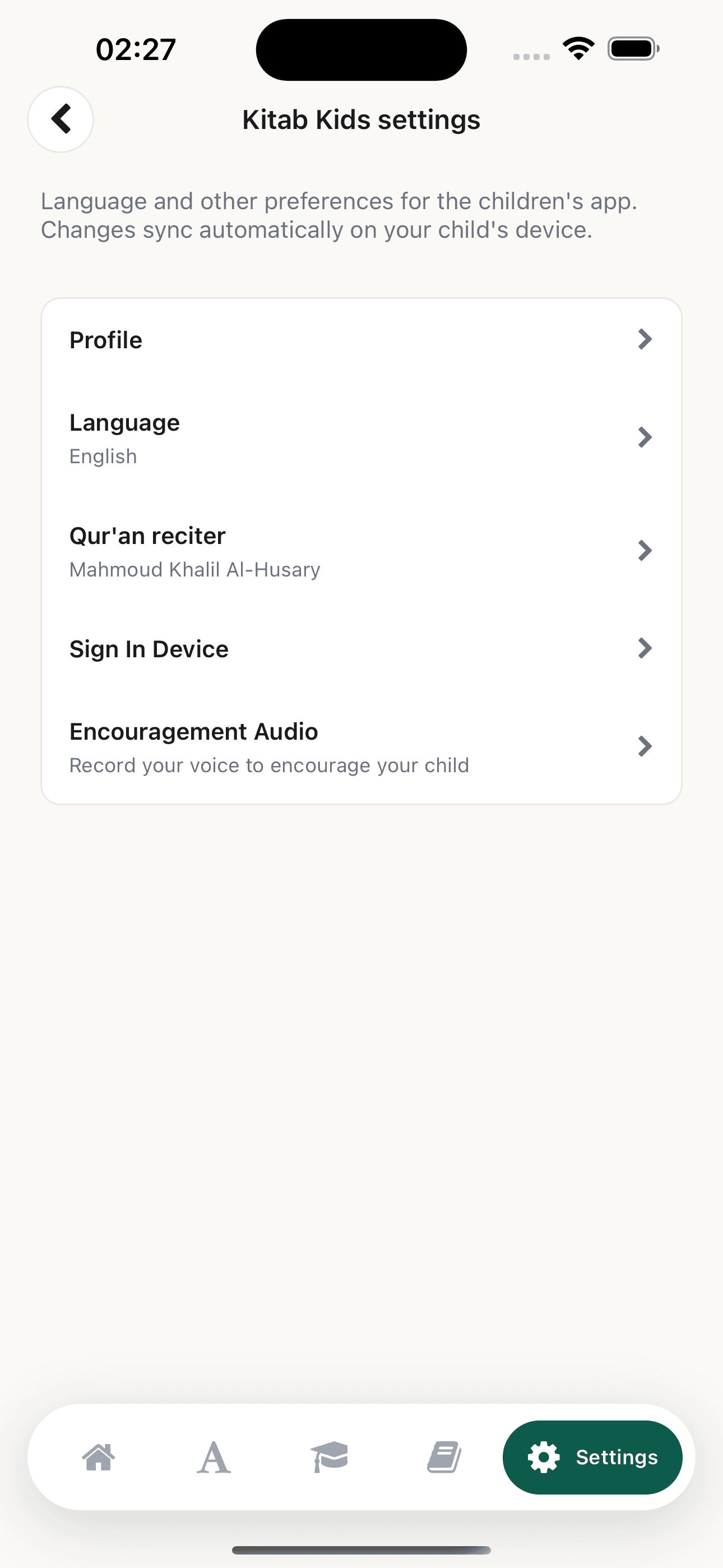
  • Update the child's profile.
  • Choose the interface language they understand.
  • Set their Qur'an reciter independently.
  • Connect or reconnect their Kitaab Kids device.
  • Record encouragement they can hear while learning.
Kitaab's parent dashboard showing profile, language, Qur'an reciter, device sign-in and encouragement audio settings for a child
Device connection

Getting a child started takes a moment.

Create their profile. Show the QR code or six-digit code. Open Kitaab Kids on their device.

  1. 01Create a profileAdd your child in Kitaab.
  2. 02Show the sign-in codeOpen it from their profile.
  3. 03Connect Kitaab KidsScan once. Their learning is ready.
Language

Choose the language they understand best.

Each child's interface language can be different from yours.
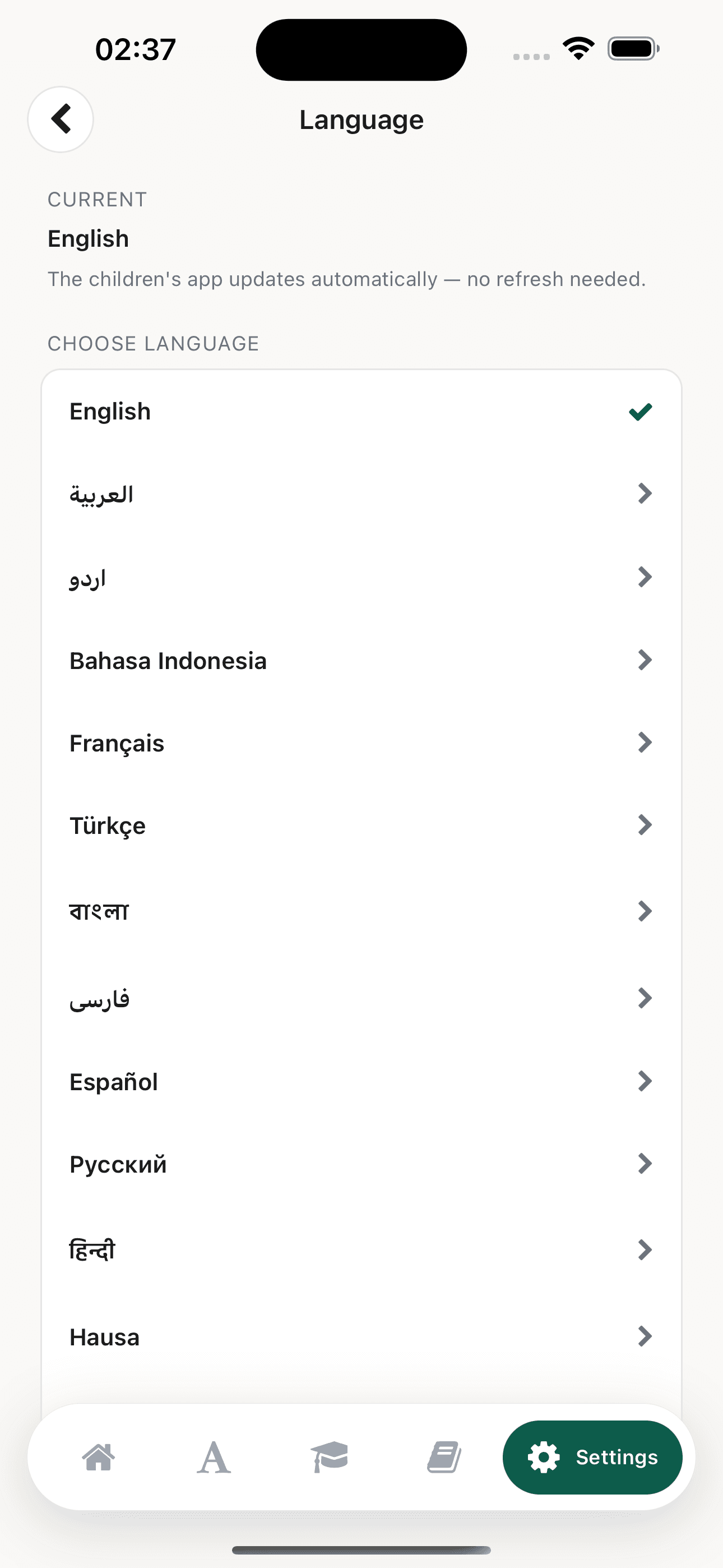
The Kitaab Parent app language picker for a child, showing the supported interface languages and automatic syncing
Reciter

Their reciter can be different too.

Choose the Qur'an recitation for each child without changing your own preference or a sibling's.


Mahmoud Khalil Al-HusaryMurattal
Mishari Rashid al-AfasyMurattal
Abdur-Rahman as-SudaisMurattal
AbdulBaset AbdulSamadMujawwad
Mohamed Siddiq al-MinshawiMurattal
Voice notes

Some encouragement means more when it sounds like you.

Record short encouragement for stars, retries and lesson completions, then choose which child should hear it.

Lesson complete“MashaAllah. You kept going.”
For Maryam
Progress

See how they are getting on.

Follow stage progress, activity, XP, streaks, achievements and learnt surahs from your own Kitaab app.

A parent viewing their child's real learning progress in Kitaab
Learn together

Your learning stays yours. Their learning stays theirs.

Choose the family access that fits the way you learn.

View family plans